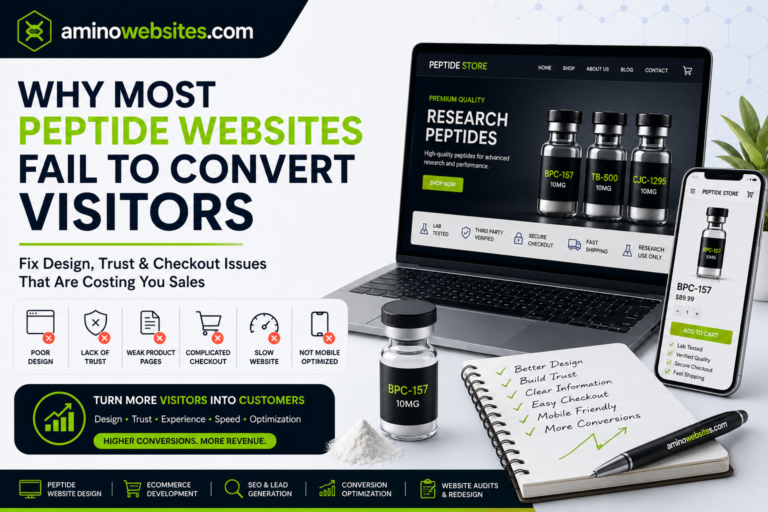
A peptide website can look professional and still struggle to generate traffic, enquiries, or sales. A peptide website audit helps identify problems affecting trust, search visibility, website performance, mobile usability, and conversions.
The problem is often not one major mistake. It is usually a combination of smaller issues such as slow loading speed, weak product pages, unclear navigation, missing trust signals, poor mobile usability, and content that does not match what potential customers are searching for.
A structured peptide website audit helps you identify these problems before they begin limiting growth.
This guide explains how to evaluate your website across design, search engine optimization, credibility, performance, and conversion experience. For a broader overview, read our guide to good websites for peptide businesses.
Why a Peptide Website Audit Matters
Launching a website is not the end of the development process.
Products change, search behaviour evolves, competitors improve their websites, and new content is added over time. A site that performed well six months ago may now contain outdated descriptions, broken links, slow pages, or inconsistent calls to action.
Regular audits help peptide businesses identify problems affecting:
- Organic search visibility
- Customer confidence
- Mobile usability
- Product discovery
- Website speed
- Lead generation
- Ecommerce conversions
A peptide website audit should not focus only on technical SEO. It should also examine how real visitors experience the website from the moment they arrive until they complete an action.
1. Review the First Impression
Open your homepage and look at it as though you have never seen the business before.
Within a few seconds, a visitor should understand what the company offers, who it serves, and what they should do next.
Ask yourself:
- Is the business clearly identified?
- Can visitors understand the website without scrolling?
- Is there a strong headline?
- Does the design feel current and professional?
- Is the main call to action easy to find?
- Does the website communicate credibility?
A homepage that relies on vague phrases such as “innovation for a better future” may look polished but fail to explain the actual business.
Effective peptide website design uses clear messaging. Visitors should not have to search through several pages to understand whether the company offers research products, website services, laboratory support, biotechnology solutions, or peptide marketing.
Clarity builds trust faster than clever wording.
2. Peptide Website Audit for Mobile Usability
Many visitors will discover your website through Google, social media, email, or paid advertising while using a smartphone.
A desktop-focused website may appear excellent on a large screen but become difficult to use on mobile.
During your peptide website audit, check every important page on a phone and review:
- Text size
- Button size
- Menu usability
- Image scaling
- Form layout
- Product options
- Checkout experience
- Popup behaviour
- Page loading speed
Visitors should not need to zoom in, drag tables sideways, or close multiple popups before reaching the content.
A mobile-friendly peptide website should make it easy to browse products, read educational articles, access documents, contact the company, and complete a purchase.
You can also use Google’s guide to responsive web design when evaluating how your layout adapts to different devices and screen sizes.
3. Measure Website Speed
Slow websites create frustration before visitors have the opportunity to evaluate the brand.
Large images, excessive plugins, poor hosting, unused scripts, and heavy animations can all affect loading speed.
Review the performance of your homepage, product pages, service pages, and blog articles. Do not test only one page because different templates may perform differently.
Use Google PageSpeed Insights to test important website pages and identify performance problems on mobile and desktop devices.
Common improvements include:
- Compressing large images
- Converting images to WebP
- Removing unnecessary plugins
- Enabling browser caching
- Reducing unused JavaScript
- Optimizing fonts
- Improving hosting
- Limiting autoplay videos
- Cleaning the website database
Every peptide website audit should include speed testing because performance affects how professional and dependable the website feels.
A visitor may interpret a slow product page or unresponsive checkout as a sign that the business itself is unreliable.
4. Evaluate the Navigation
Strong website navigation helps visitors find information without thinking too hard.
The main menu should use familiar labels and avoid unnecessary complexity. Important pages should usually be accessible within a few clicks.
A peptide business website may include:
- Home
- About
- Products or Services
- Quality or Testing
- Blog
- Frequently Asked Questions
- Contact
Ecommerce websites may also need clear product categories, account access, cart access, and search functionality.
Avoid filling the menu with every available page. Too many choices can make the website harder to use.
Review the journey of different visitors. A new visitor may want to learn about the company, while a returning customer may want to find a product quickly. Someone else may be looking for testing information, shipping details, or customer support.
Good navigation supports each of these journeys.
5. Audit Product Pages
For a peptide ecommerce website, product pages are among the most important parts of the entire site.
Each page should answer the questions a serious buyer is likely to have.
Review whether your product pages contain:
- A clear product title
- An original description
- High quality images
- Product specifications
- Price and availability
- Storage information
- Batch or lot details
- Certificate of Analysis access
- Frequently asked questions
- Shipping information
- Related products
- A clear Add to Cart button
Thin product pages can reduce both trust and organic visibility.
A visitor should not have to search through the footer or contact support to find essential documentation. Where relevant, laboratory reports and batch information should be connected directly to the product.
The content should also remain consistent with the product’s actual classification. Avoid mixing research-focused descriptions with unsupported therapeutic promises.
6. Check Trust and Credibility Signals
A peptide business often needs to overcome more uncertainty than a typical ecommerce brand.
Visitors may want to know who operates the company, how products are documented, how customer information is handled, and whether support is available.
Your peptide website audit should check for:
- Clear business information
- Accessible contact details
- Secure HTTPS
- Privacy policy
- Terms and conditions
- Shipping and return information
- Testing or quality documentation
- Real customer feedback
- Professional branding
- Consistent product language
Trust signals should be specific.
A generic badge saying “premium quality” is less persuasive than accessible documentation explaining how quality is evaluated. A “secure website” icon is less valuable than a properly configured HTTPS connection and transparent privacy information.
The strongest websites give visitors something meaningful to verify.
7. Peptide Website Audit for SEO Foundations
A visually impressive website will not produce consistent organic traffic when its SEO structure is weak.
Review every important page for:
- One clear H1 heading
- An optimized SEO title
- A useful meta description
- A short and readable URL
- Organized H2 and H3 headings
- Descriptive image alt text
- Relevant internal links
- Original content
- Appropriate structured data
During the peptide website audit, make sure each page targets one primary topic and a small group of closely related phrases.
Relevant phrases may include:
- Peptide website design
- Peptide website development
- Peptide ecommerce website
- Peptide SEO
- Website design for peptide companies
- Peptide business website
- Peptide marketing
- Ecommerce website development
- Conversion focused web design
Do not force every keyword into every paragraph. Natural language helps visitors and search engines understand the purpose of the page without making the content repetitive.
8. Examine the Internal Linking Structure
Internal links connect related content and guide visitors through the website.
A blog about peptide ecommerce can link to product page optimization, website development, SEO, email marketing, and conversion focused design. A service page can link to relevant case studies, guides, and frequently asked questions.
Internal linking helps:
- Visitors discover useful information
- Search engines understand page relationships
- Important pages receive more internal authority
- Older content remains discoverable
- Websites build topical depth
Avoid using vague anchor text such as “click here” when a descriptive phrase would be more helpful.
For example, linking the words good websites for peptide businesses gives visitors and search engines more context than a generic link.
9. Evaluate Educational Content
Educational content can attract people who are not yet ready to buy or contact the company.
A strong content library may answer questions about:
- Peptide website development
- Peptide ecommerce
- Search engine optimization
- Product page design
- Website security
- Conversion optimization
- Certificates of Analysis
- Website performance
- Digital marketing for peptide brands
Review your blog and identify whether each article serves a clear purpose.
Good content should answer a real question, target relevant search intent, connect to related pages, and guide the reader toward a logical next step.
Avoid publishing many short articles that repeat the same ideas. A smaller number of useful, well-structured posts can provide more value than a large collection of thin content.
Older articles should also be updated when information, screenshots, internal links, or service offerings change.
10. Check Calls to Action
Every important page should guide the visitor toward an appropriate next step.
Depending on the business, that action may be:
- Browse Products
- View Testing Information
- Request a Website Audit
- Schedule a Consultation
- Contact the Team
- Read the Complete Guide
- Join the Email List
- Add to Cart
Calls to action should match the visitor’s stage.
Someone reading an educational article may not be ready to make a purchase immediately. A link to another useful guide, a service page, or a consultation option may be more appropriate.
Avoid relying on one button at the bottom of a long page. Place relevant calls to action naturally throughout the content without making the page feel aggressive.
11. Review Forms and Checkout
Forms are common points of friction.
Test every contact form, newsletter form, consultation form, account page, cart, and checkout step.
Check whether:
- Required fields are clearly marked
- Error messages are understandable
- Forms work on mobile
- Confirmation messages appear
- Email notifications are delivered
- Checkout steps are easy to follow
- Payment options display correctly
- Order summaries are accurate
Remove fields that are not necessary.
A consultation form usually does not need to ask for every possible business detail before the first conversation. An ecommerce checkout should not create an account requirement unless it is genuinely needed.
The easier it is to complete an action, the more likely the visitor is to finish it.
12. Peptide Website Audit for Analytics and Search Tracking
You cannot improve a website effectively without understanding how people use it.
Use Google Search Console to review queries, impressions, clicks, pages, search visibility, and indexing problems.
Use Google Analytics to monitor website traffic and understand how visitors interact with your content.
Analytics and search tools can help identify:
- Most visited pages
- Search queries generating impressions
- Pages with high exit rates
- Mobile versus desktop traffic
- Conversion paths
- Broken links
- Indexing problems
- Pages losing visibility
- Content attracting qualified visitors
Review the data regularly instead of checking it only when traffic drops.
A page with strong impressions but a low click through rate may need a better title and meta description. A page receiving traffic but generating no enquiries may need clearer positioning or a stronger call to action.
Create a Practical Peptide Website Audit Plan
A website audit can produce a long list of issues. Trying to fix everything at once may become overwhelming.
Prioritize improvements based on their potential impact.
Start with:
- Broken checkout or contact forms
- Security problems
- Mobile usability issues
- Slow loading speed
- Missing or inaccurate product information
- Weak navigation
- SEO titles and descriptions
- Internal linking
- Content updates
- Visual refinements
This order may vary depending on the website, but functional and trust related issues should generally be addressed before small cosmetic changes.
Final Thoughts
The best peptide websites are not defined by one feature.
They combine professional design, mobile performance, fast loading speed, useful content, strong SEO, clear navigation, trustworthy product information, and conversion focused user journeys.
Conducting a peptide website audit regularly helps you understand where the website supports growth and where it creates unnecessary friction.The purpose is not to make the website more complicated. It is to make it clearer, faster, easier to trust, and easier to use.
For the complete list of qualities that distinguish professional industry websites, read 12 features shared by good websites for peptide businesses.